OUR MINI X HANDS-ON TEST · GERMANY · 23 SEPTEMBER 2026
Starlink Mini X review: speed, latency and real-world results
Starlink availability: interactive world map
Select a country on the map or search for its name. Check local availability and offers directly with Starlink.
The interactive map is loaded. Without JavaScript, you’ll find all countries further down the “All countries by status” list.
USUnited States
Available
Starlink started here. Which tariffs, which hardware price and which actions apply to your address, shows the address checker on the Starlink card.
- Address verification free of charge and done in one minute
- Tariffs, hardware price and actions immediately visible
- No account needed to check availability
+1 month freewhen ordering via our referral link – according to Starlink in most places
Check availability at my addressStarlink prices in Germany
Status according to Starlink card data, as of 15.10.2026. The address verification at Starlink is binding.
Data base: public map data from Starlink, read out on 15.10.2026. Map basis: Natural Earth (general), German border representation, simplified. Small island states are presented as points.
Choose your market: current Starlink plans
Checked on 15 October 2026. Residential 100 Mbps and 200 Mbps are available only in selected areas and have download speed caps. Max uses the maximum available speeds; no speed is guaranteed. Roam data allowances, taxes, equipment, shipping and promotions depend on the country and service address. Prices below are monthly advertised service prices, not a binding quote.
| Country or territory | Residential 100 / 200 / Max | Roam |
|---|---|---|
| United States · USD | 55 / 85 / 130 USD / month | 100GB: 55 USD · 300GB: 80 USD · Unlimited: 175 USD |
| United Kingdom · GBP | 40 / 60 / 80 GBP / month | 100GB: 55 GBP · Unlimited: 100 GBP |
| Canada · CAD | 75 / 115 / 150 CAD / month | 100GB: 75 CAD · 300GB: 110 CAD · Unlimited: 200 CAD |
| Australia · AUD | 75 / 110 / 150 AUD / month | 100GB: 85 AUD · Unlimited: 210 AUD |
Some links are referral or affiliate links. Eligible orders may earn us a credit or commission. Referral benefits depend on the applicable Starlink conditions.
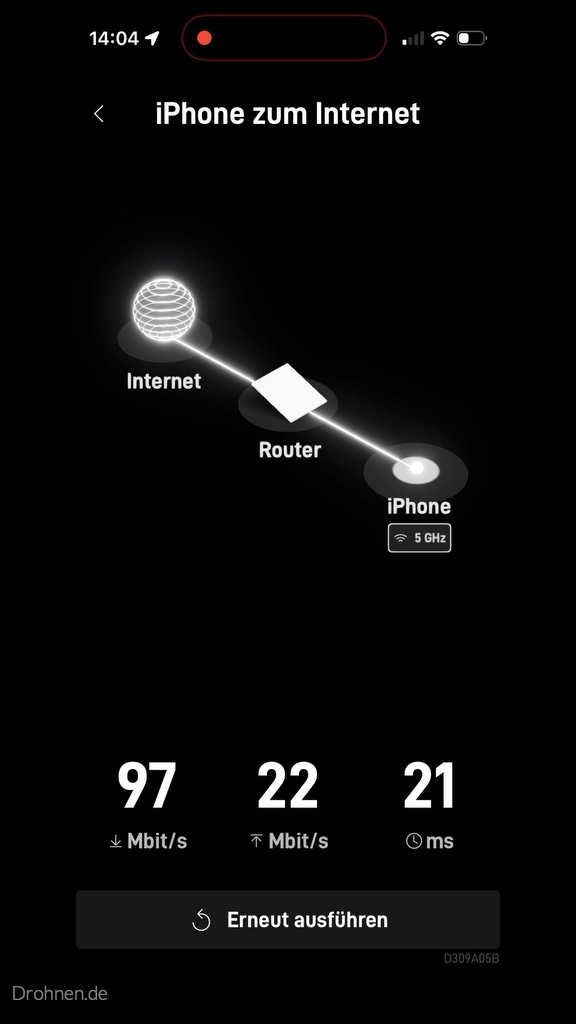
Is satellite internet suitable for working from home, 4K streaming and online gaming? Our Starlink Mini X test in Germany recorded 97 Mbit/s download, 22 Mbit/s upload and 21 ms latency in the app. We unpacked and installed the kit ourselves, documenting the process with our own photographs and screenshots. This review separates those individual measurements from Starlink’s published specifications, explains the technology and limitations, and estimates annual electricity costs. Performance at another address can differ. The original German article also discusses the 30-day return conditions; check the current conditions for your own market before ordering.
Recommendation of the editorial team
Order Starlink directly from SpaceX – with a free service month
If you order via a referral link, Starlink says you will receive a free service month, which will be credited in the second month. The benefit applies to new customer accounts on starlink.com and to eligible private household and Roam plans. The price remains the same for you.
For home
Residential
Check price+ 1 month free
- Unlimited data in all household tariffs
- Three levels: 100 Mbit/s, 200 Mbit/s and Max
- Monthly cancellable, 30-day return policy
For on the road
Roam
Check price+ 1 month free
- Use in Motion and in Changing Places
- Hardware according to Starlink from 199 € in selected regions
- Can be paused at any time with the basic connection
Prices and conditions last checked on 16.09.2026
Prices and availabilities are daily data from starlink.com for Germany, accessed on 16.09.2026. The exact hardware price depends on the service address.
Recommendation Note: The Starlink links in this post are recommendation links. If you order an eligible new customer account, you will be credited a free service month, according to Starlink, and we will also receive a credit. Your price does not change.
The most important thing in 20 seconds
In the test: 97 Mbit/s
Mini X in its own app speed test: 97 Mbit/s down, 22 Mbit/s up, 21 ms latency.
Latency
Starlink cites 25.7 ms median in the peak hour – measured in the USA.
Power
25 to 100 W depending on the model, which is roughly 80 to 300 € per year.
Risk
30 days return with full refund, thereafter no partial refund.
Our hands-on test: Starlink Mini X unpacked, set up and measured
Own hands-on test ·Drohnen.de · September 2026
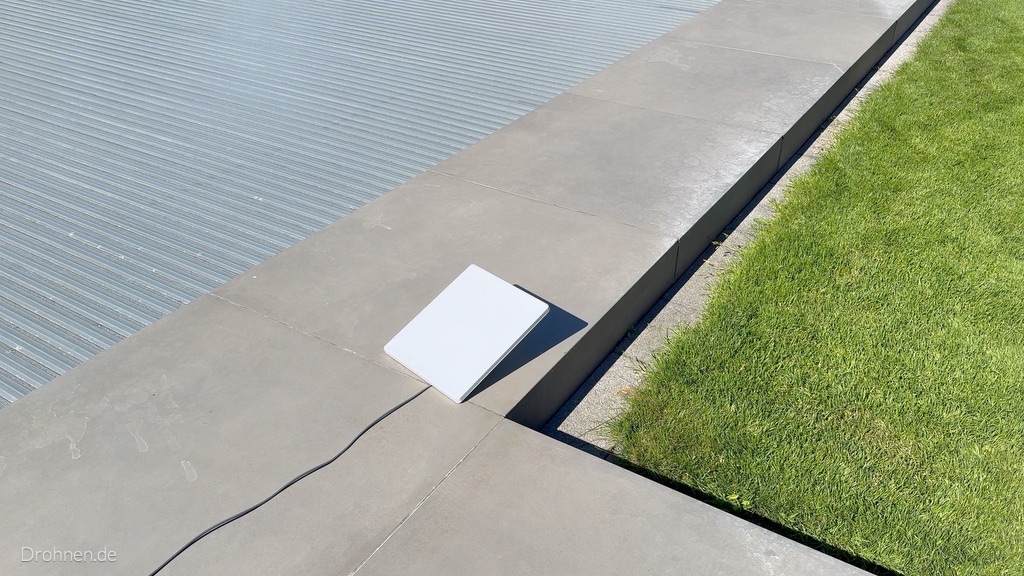
For this test, we unpacked the Starlink-Mini-X-Kit from the German travel order ourselves, set it up and set it up with the Starlink app on an iPhone. The terminal stood outdoors on a terrace and plate area on the garden, the separate Router Mini in the interior. All photos and screenshots in this section are from this review. The readings are individual measurements at a location – they show what was achievable on that day and place, and do not replace a long-term measurement at your address.
97 Mbit/s
Download
App speed test from iPhone to the Internet, Wi-Fi in the 5 GHz band
22 Mbit/s
Upload
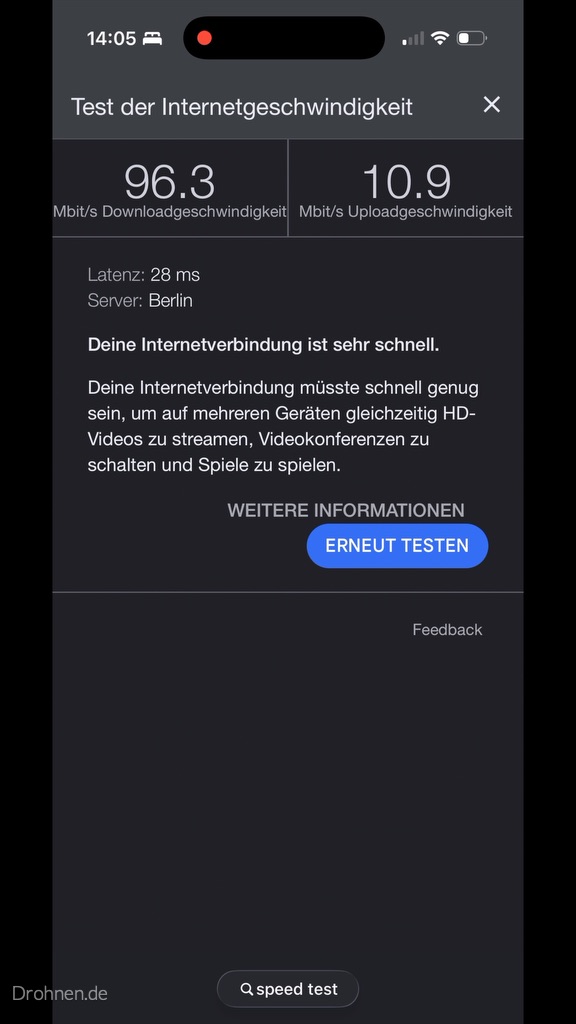
same measurement; in the browser test 10.9 Mbit/s
21 ms
Latency
App speed test; browser test 28 ms, start phase 35 ms median
18 W
Power consumption
App display, average of the first nine minutes
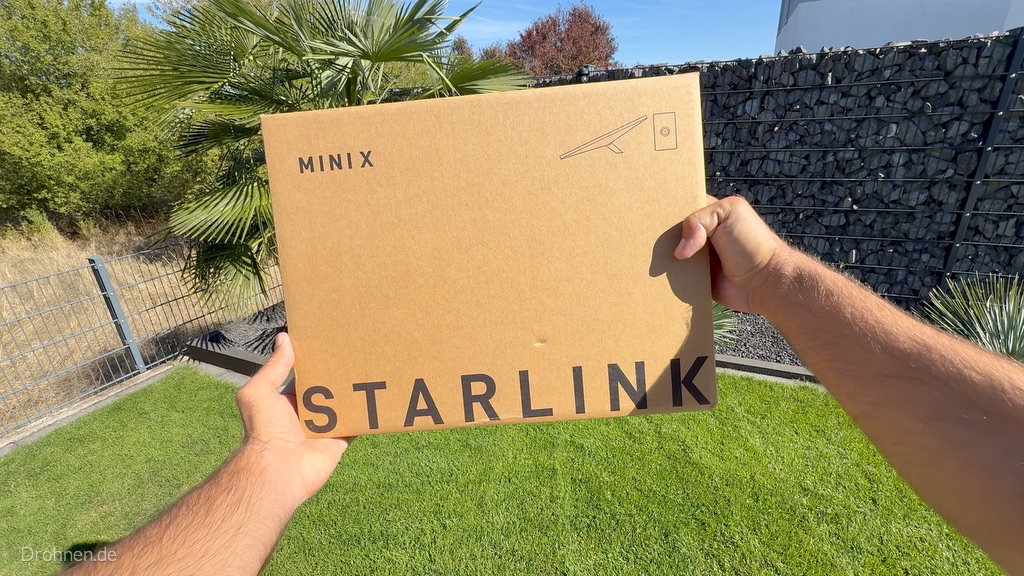
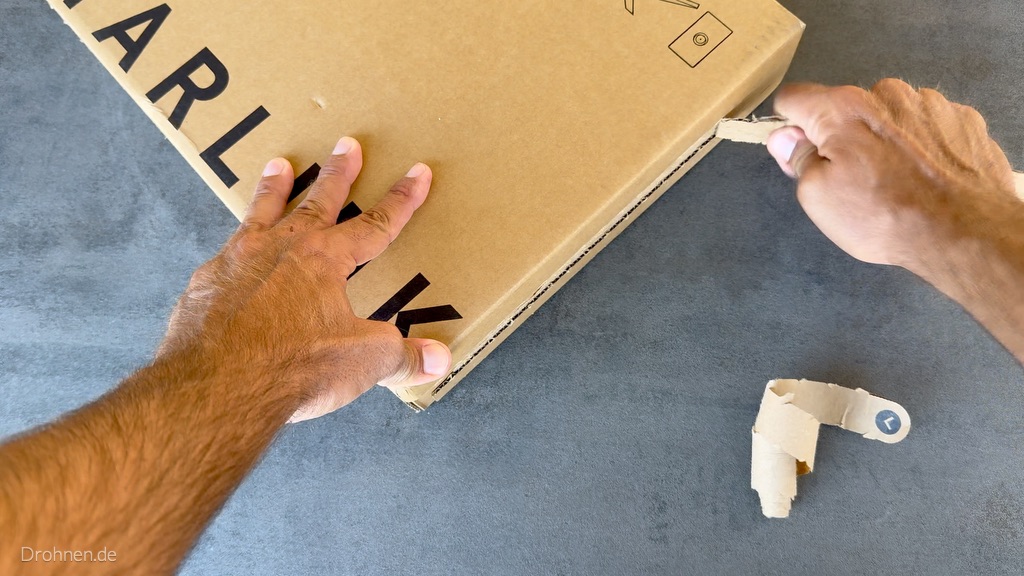
Unpacking: the first look into the Mini-X carton
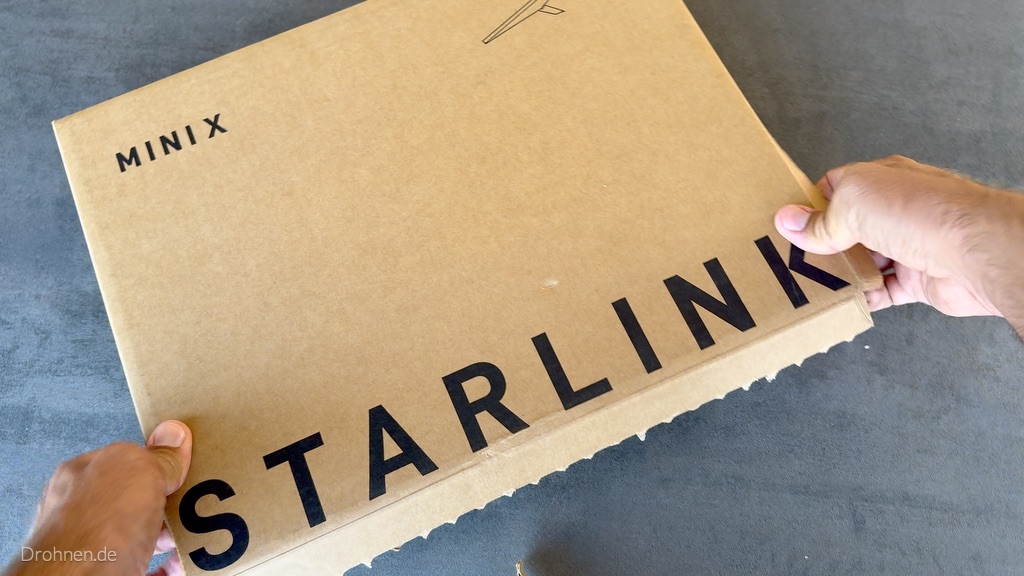
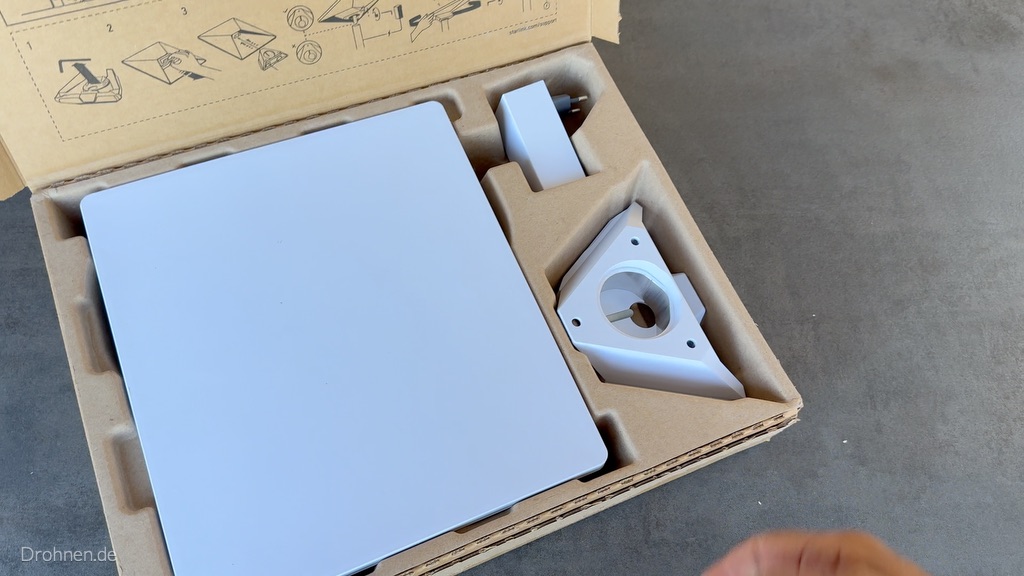
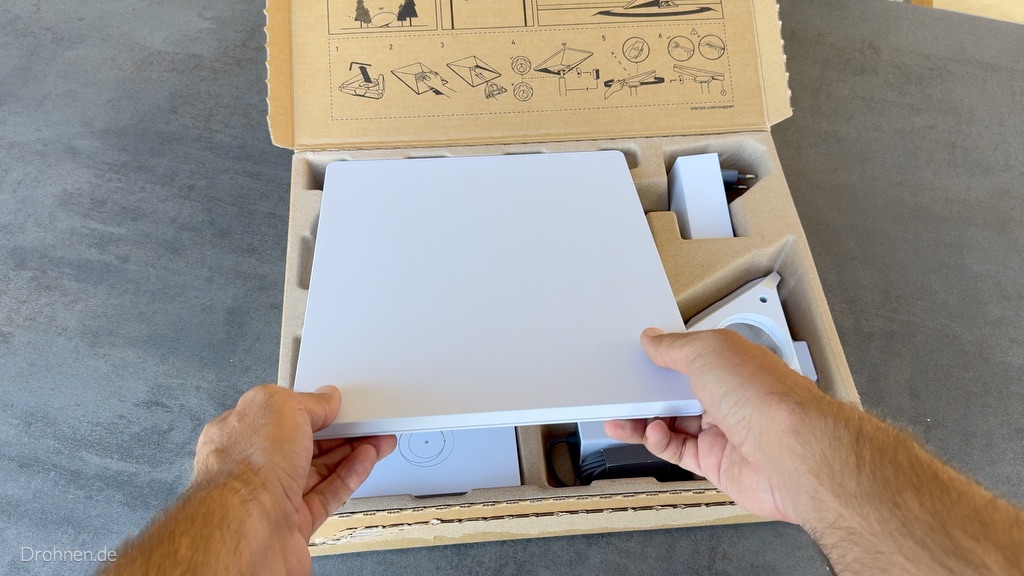
The Mini X comes in a plain brown carton with tear strips. Beneath the lid are the terminal, its power supply and the triangular pipe adapter in precisely fitting mould inserts; below this are the separate Router Mini, its own power supply, the cable reel and the documents. Tools are not needed for the construction with the folding stand. We show each part of the delivery in detail in our Starlink hardware comparison.
Installation: Terminal outside, Router inside
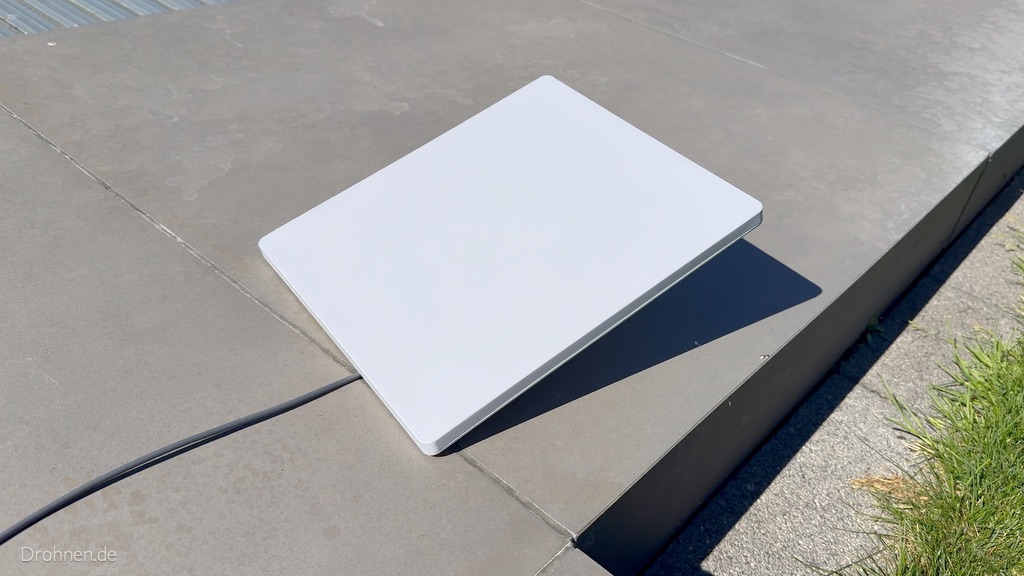
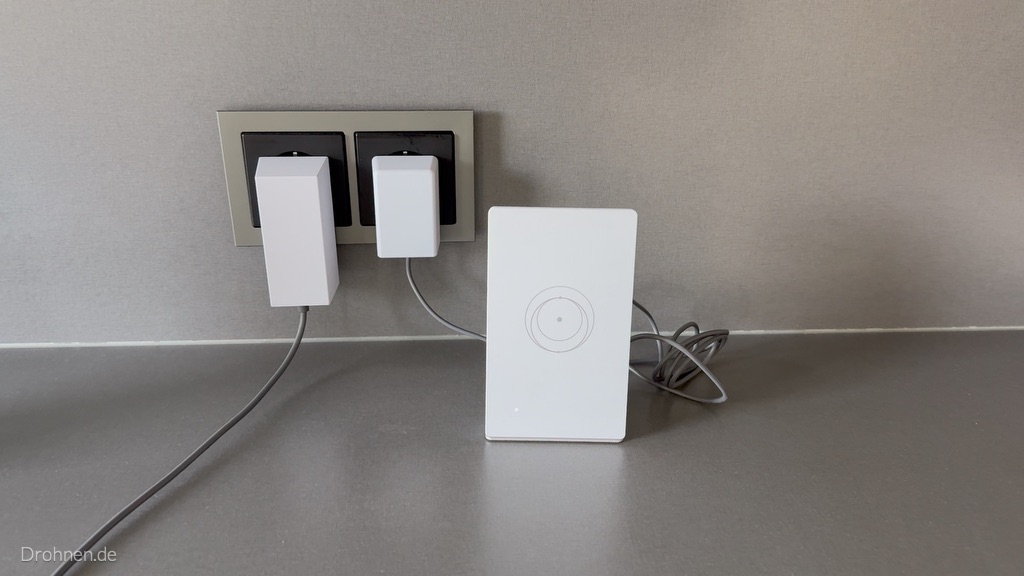
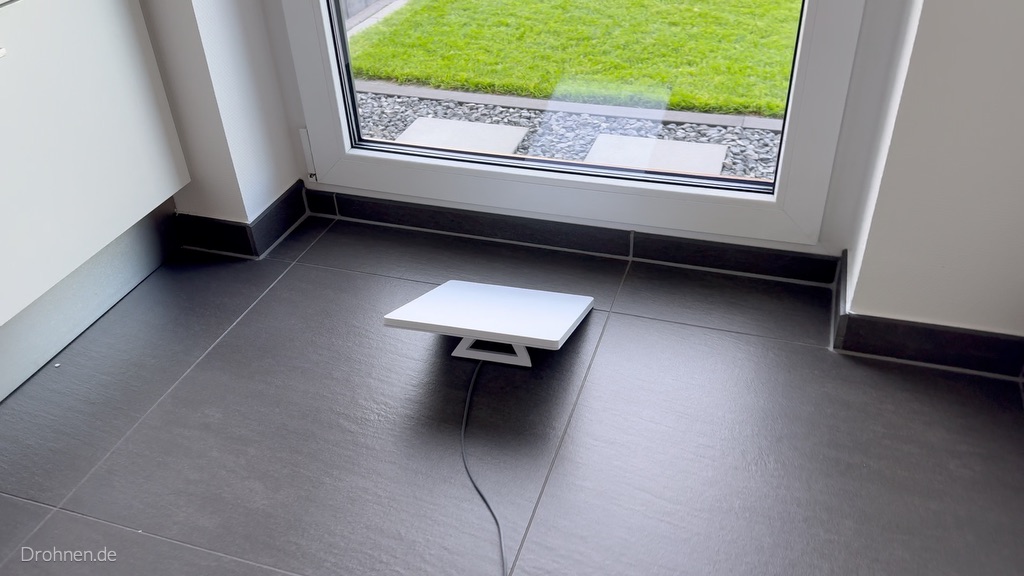
In the test, the terminal stood flat on the folded-out stand between lawn and terrace, the cable ran visibly over the floor for power supply. The Router Mini stood in the interior next to a double socket – both power supplies of the kit were plugged in there. This separation corresponds to the image instructions in the carton: antenna outside with open sky, router where the WLAN is needed. In addition, we have put the terminal directly in front of a glass door in the interior on a trial basis; our recordings do not document a reception result for this position. For continuous operation, the terminal belongs outside, because the obstacle test of the app requires clear sky view.
Setting up via app: from download to connection
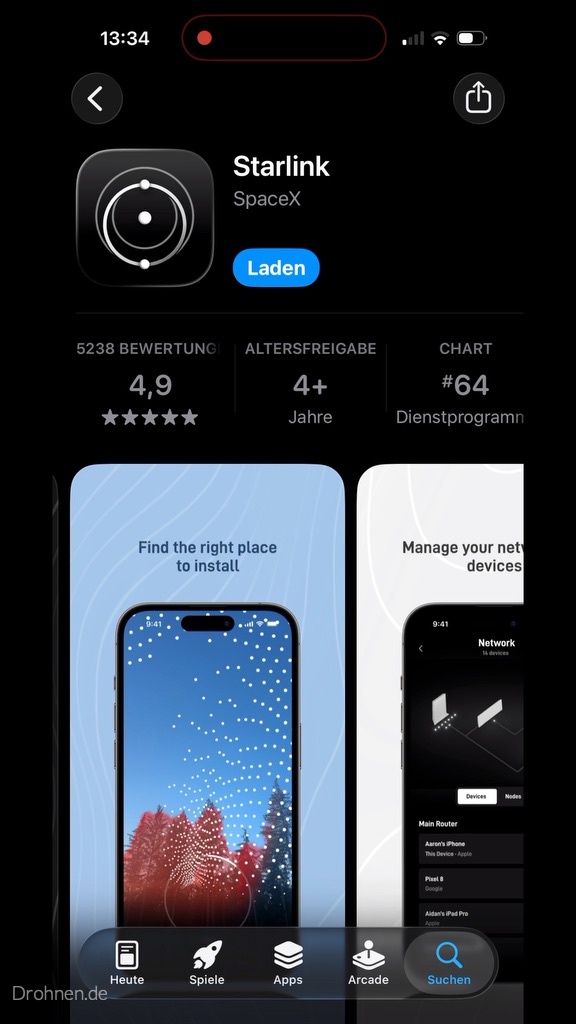
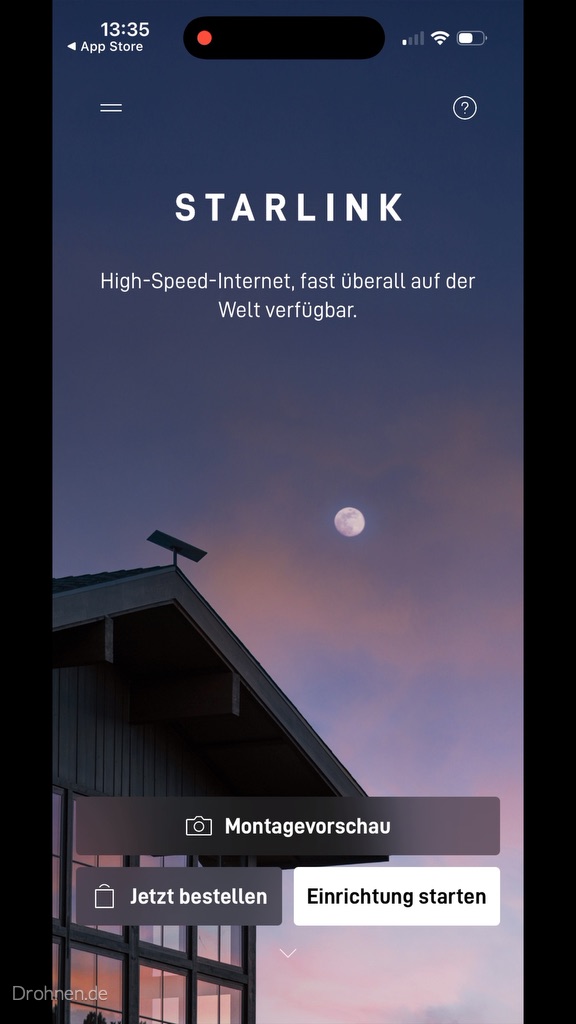
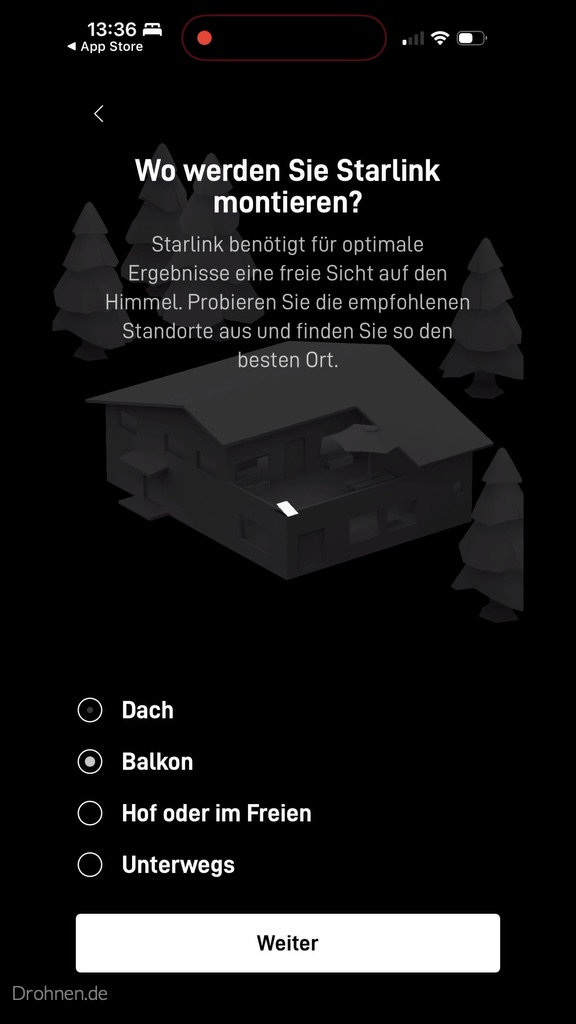
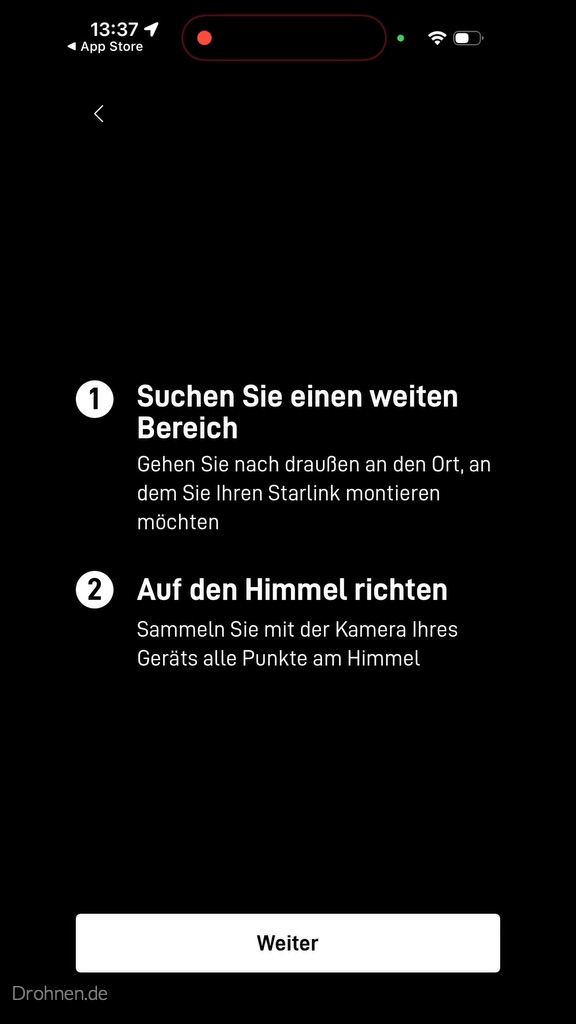
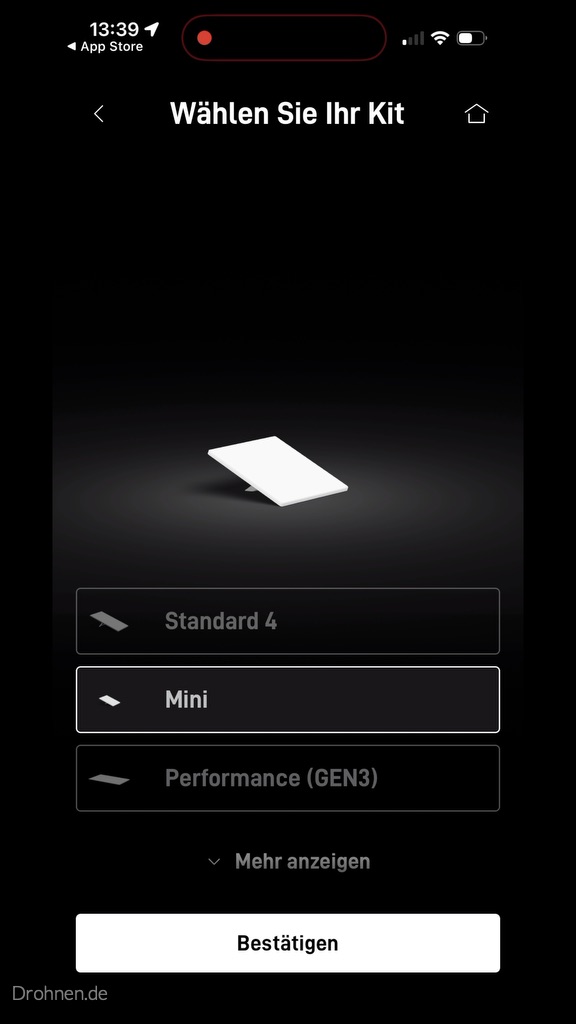
Setup takes place in the free Starlink app. It asks for the installation location, uses the phone camera to check the sky view, lets you select the kit, and guides you through power and Wi-Fi connections. According to our screenshot timestamps, about 17 minutes elapsed between opening the app’s App Store page at 13:34 and the first statistics for the active connection at 13:51, including several sky scans and photographs for this review.
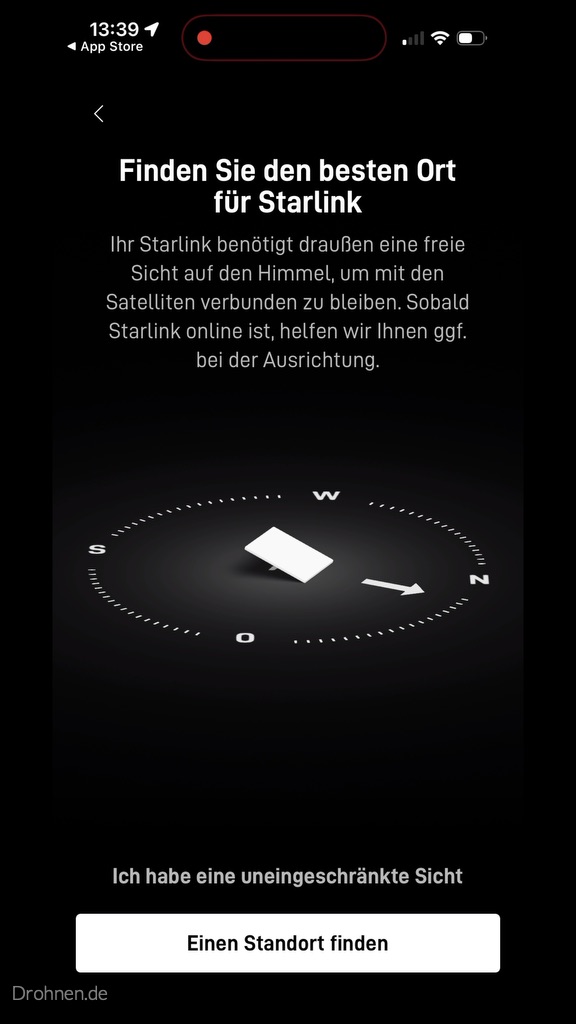
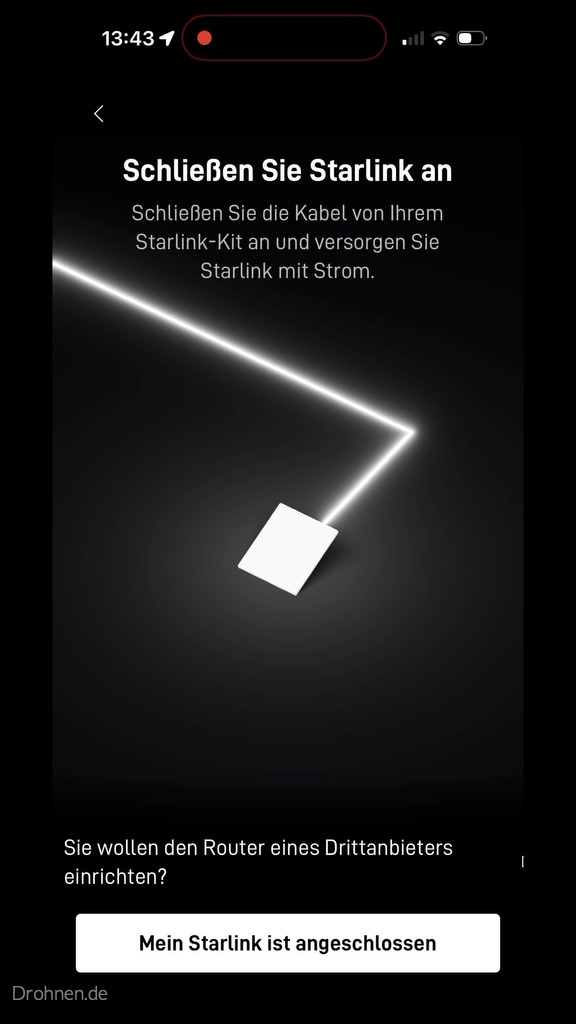
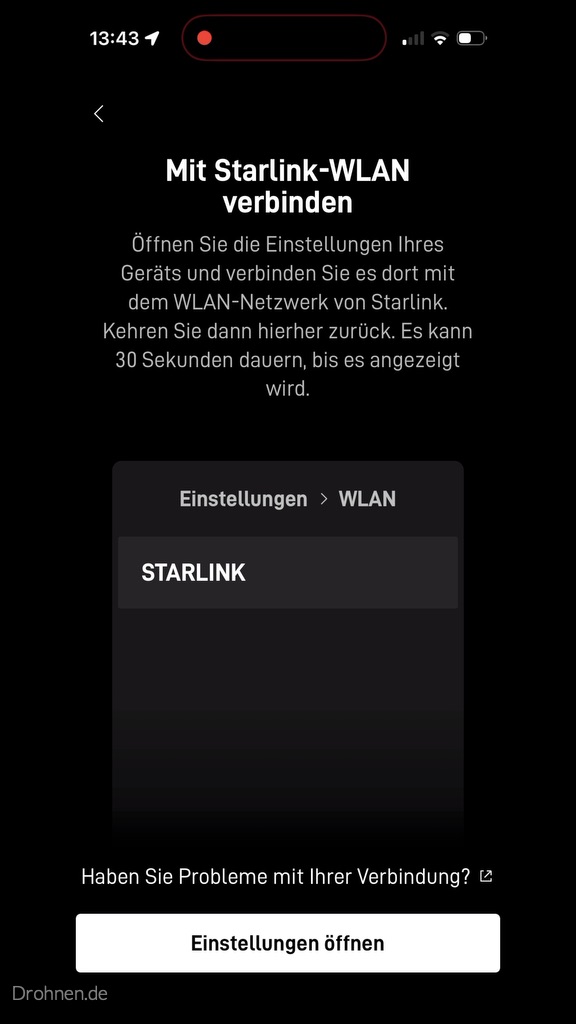
Obstacle testing: Sky scan with the camera
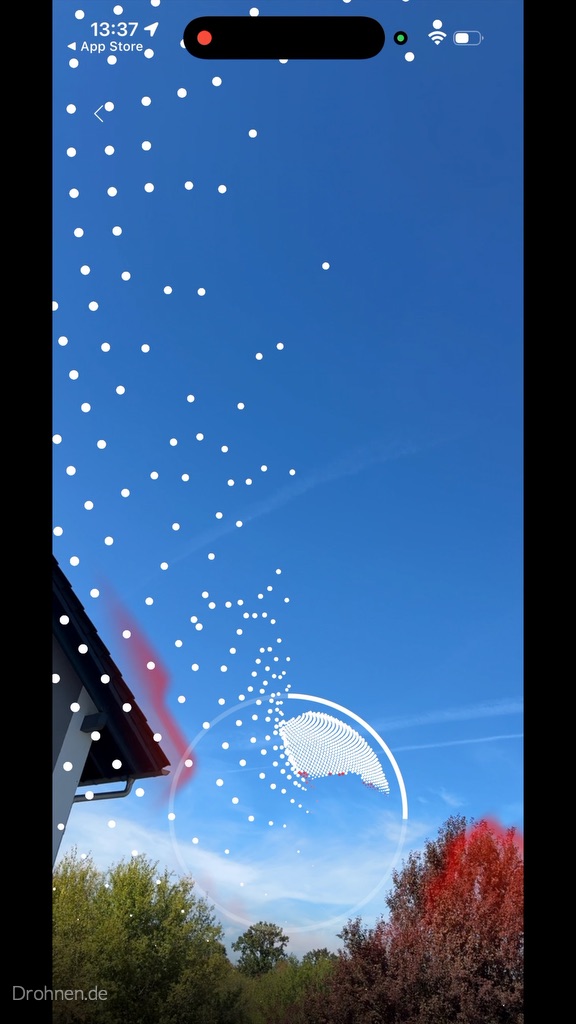
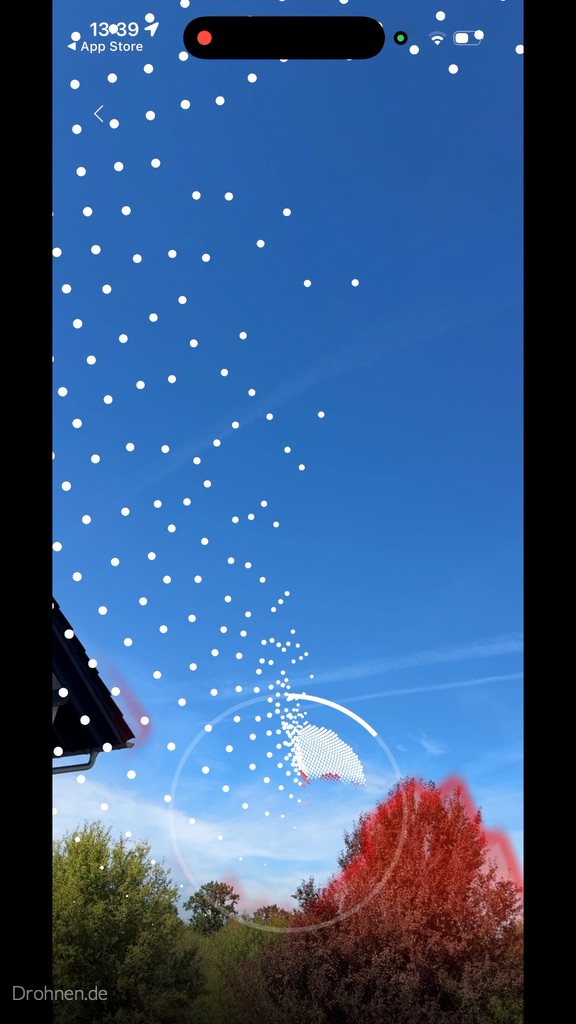
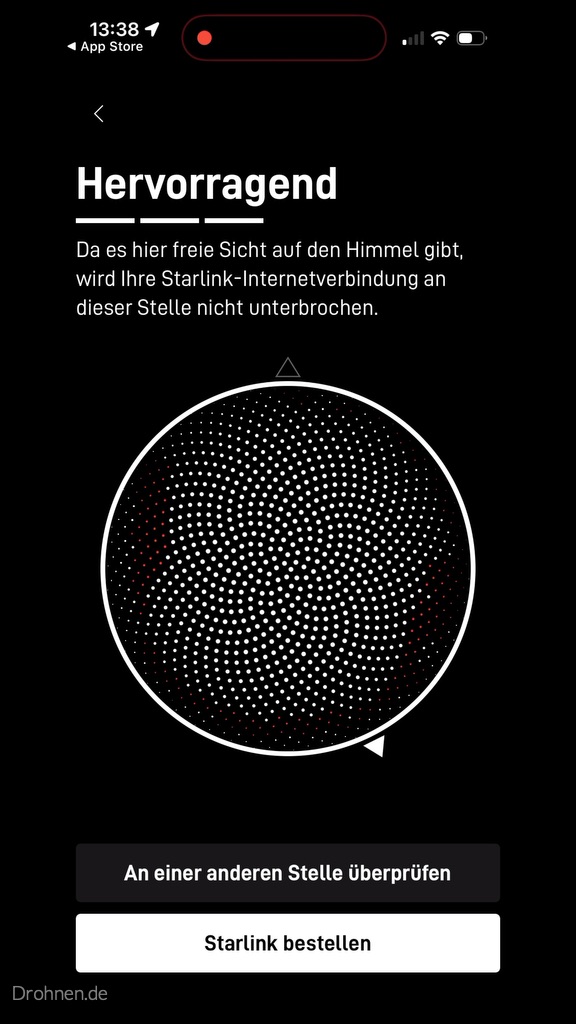
The most important setup step is the sky scan: You set up the smartphone camera and “collect” white checkpoints in the sky. Areas with obstacles mark the app in color. In our first scan, the roof edge and trees appeared, in a second scan a tree crown at the right edge of the picture. At the selected point, the app finally rated the view with “Excellent”. This is an assessment before commissioning – no proof that there are never any interruptions at this point.
Alignment and calibration
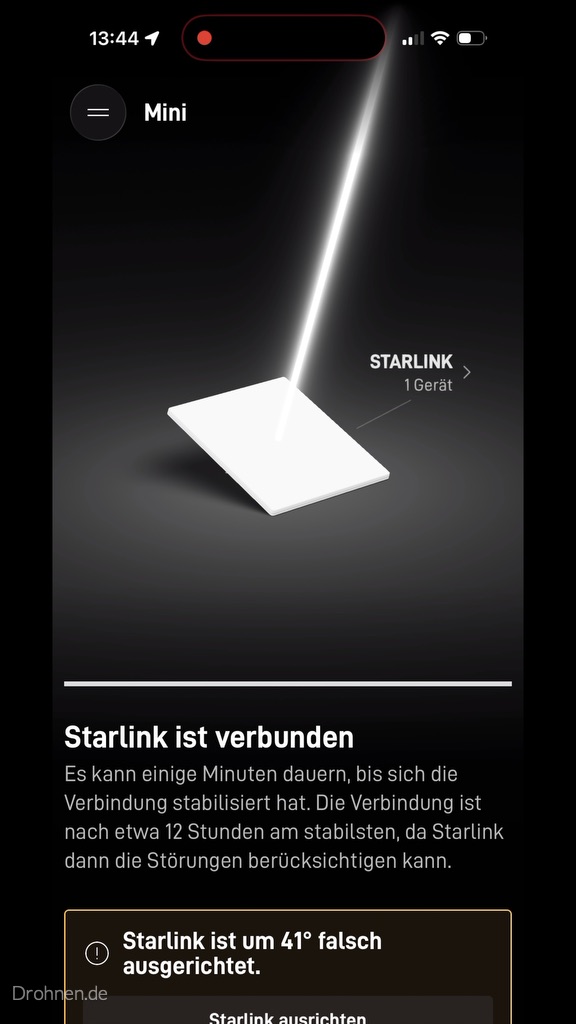
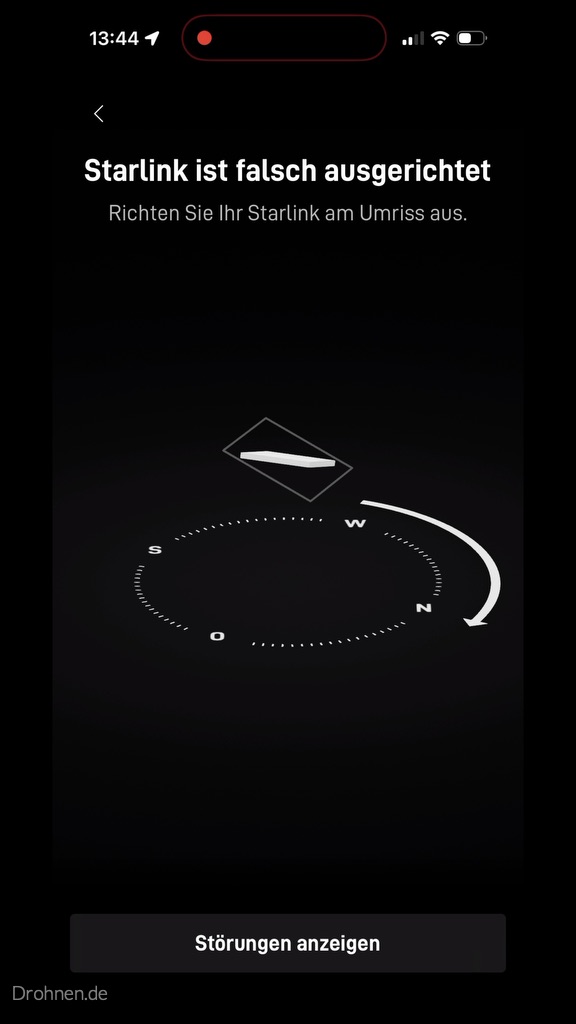
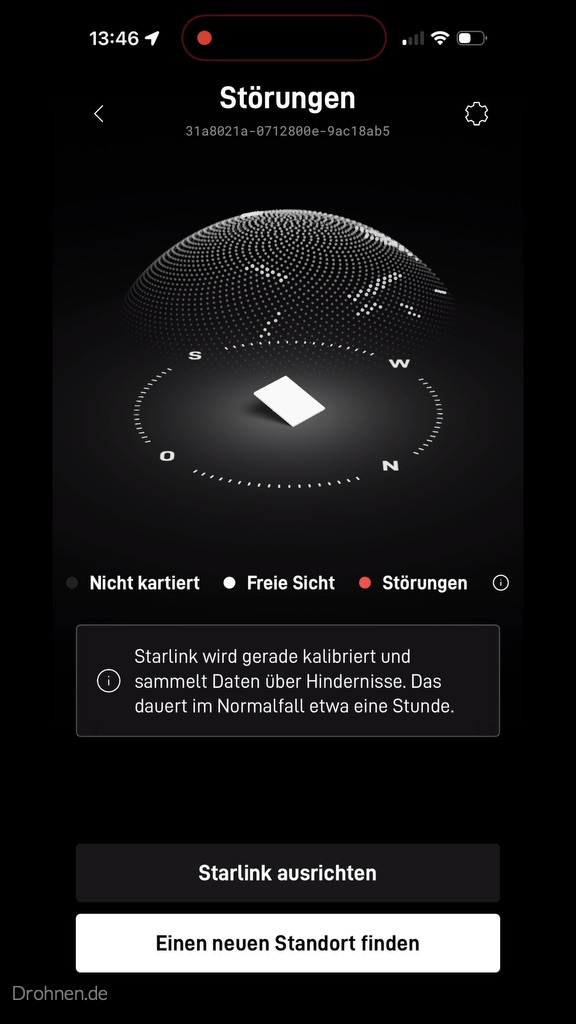
As soon as power was available, the app reported the connection – and at the same time that the terminal was oriented incorrectly by 41 degrees. The alignment aid then shows a target outline and the direction of rotation; in the mini, you simply turn the terminal on the stand. The app also points out that the connection is the most stable after about twelve hours, because Starlink can then take the obstacles into account. The obstacle map was still in the calibration at the time of our recording, which normally takes about an hour according to the app.
First Statistics, Mesh Notice and Router Status
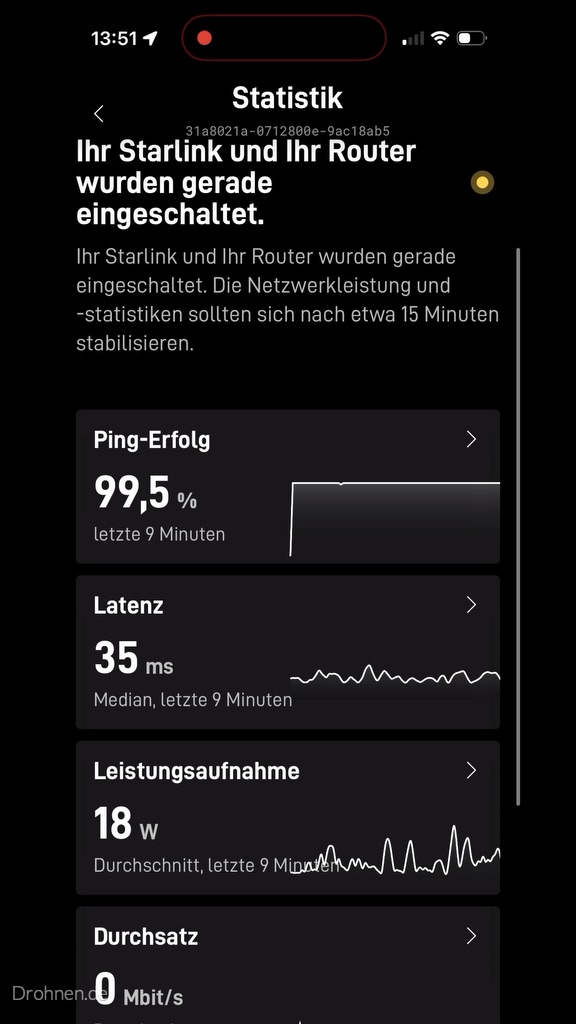
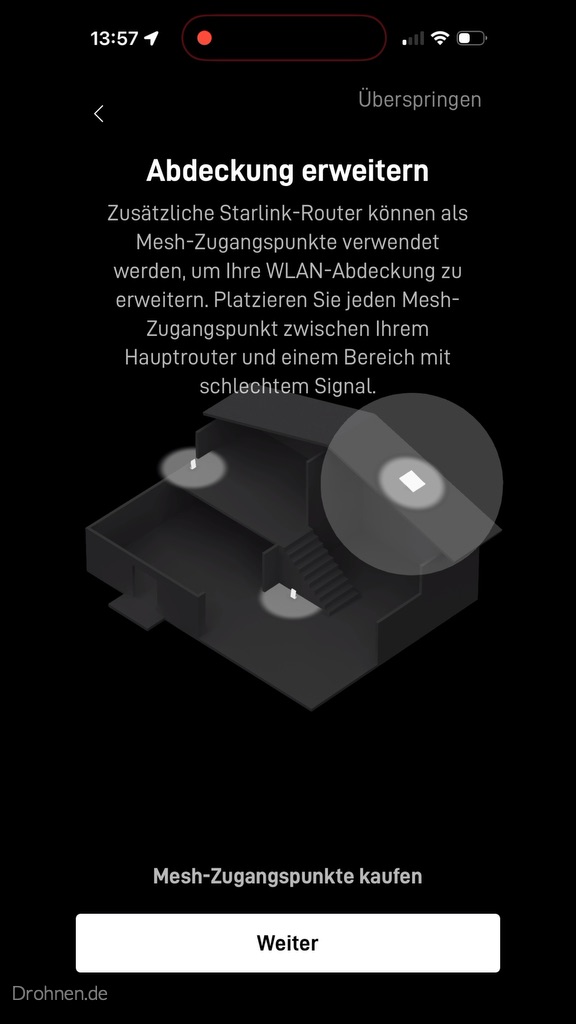
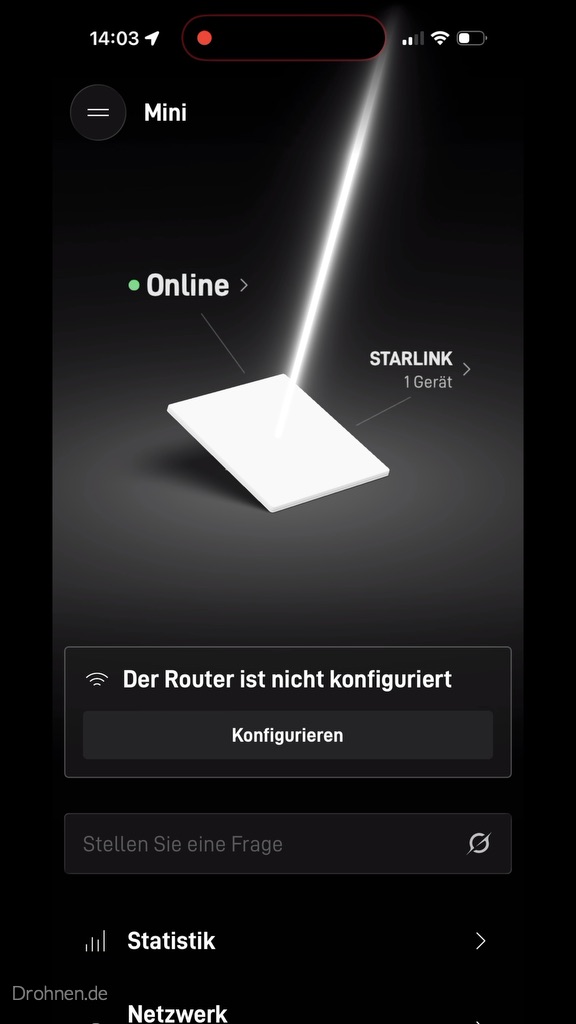
The statistics for the first nine minutes showed 99.5 percent ping success, a median latency of 35 milliseconds and an average power consumption of 18 watts. The app explicitly identifies these values as a start-up phase, the statistics should stabilize after about 15 minutes. The 18 watts are an app display for a short time window, not an external current measurement of the entire kit; Starlink calls for the Mini on average 20 to 40 watts. Subsequently, the app offered to extend Wi-Fi coverage with additional mesh access points and reported the terminal as online – with the indication that the router configuration is still pending.
Speedtests: App and browser in comparison
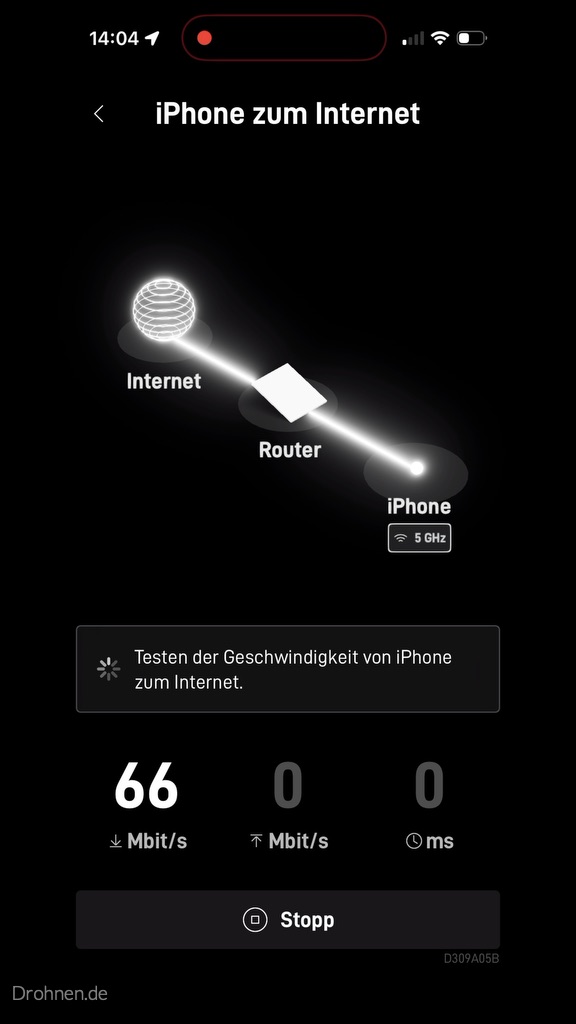
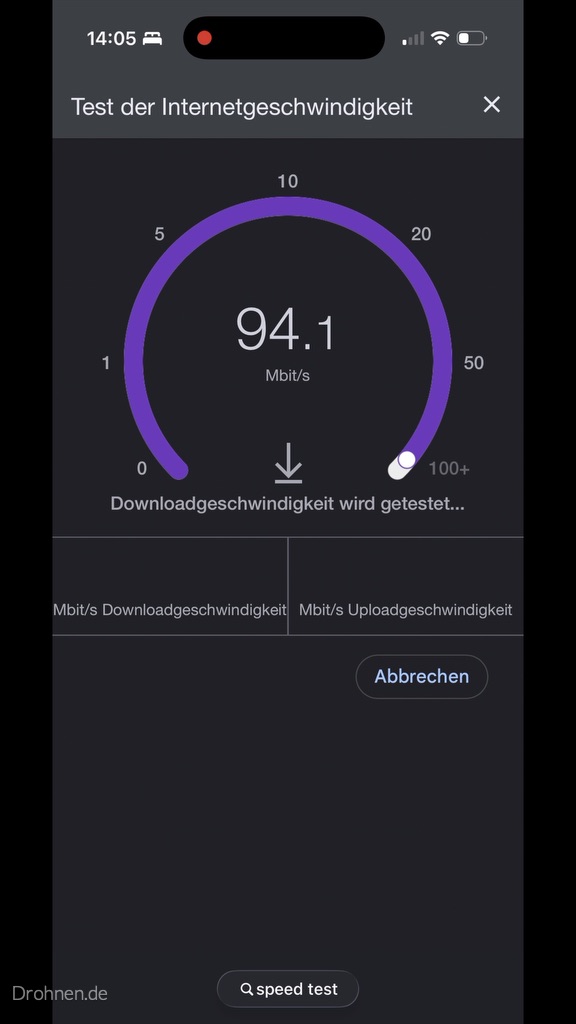
We measured twice: with the speed test of the Starlink app, which checks the route from the iPhone via the router to the Internet, and with a speed test in the browser. Both measurements ended up almost equal in the download, with the upload the app measurement was significantly higher. Because the Wi-Fi route was also measured in the 5 GHz band, the values describe the performance that actually arrived at the end device – not the pure satellite connection.
| Measurement | Download | Upload | Latency | Context |
|---|---|---|---|---|
| Starlink app speed test | 97 Mbit/s | 22 Mbit/s | 21 ms | iPhone over Wi-Fi in the 5 GHz band up to the Internet |
| Browser speed test | 96,3 Mbit/s | 10,9 Mbit/s | 28 ms | Testserver Berlin; provider not clearly advertised in the screenshot |
| App Statistics Start phase | – | – | 35 ms (median) | first nine minutes, 99.5% ping success, 18 W power consumption |
This has convinced
Construction without tools, a setup that explains step by step, and a latency of 21 to 35 ms – in the realm of what Starlink itself publishes as median.
Enough for everyday life
Almost 100 Mbit/s in the download are sufficient for several streams, home office and video calls. The upload of 11 to 22 Mbit/s is sufficient for video conferencing and cloud backups on a normal scale.
You’ve got to plan for that.
The app warned at the beginning of 41 degrees misalignment, the obstacle map takes about an hour of calibration, and already a roof edge or tree crown appears in the scan. The location decides.
This is how we classify the values
These are individual measurements of a day in one place. In the evening, with a full radio cell or with obstacles, the values can be lower. Miss within the 30-day period itself at different times of day.
Try it yourself? The Mini X costs in the German travel order 199 euros plus 19 euros shipping, without contractual commitment and with 30 days right of return. The recommendation link adds a free service month.
Which data basis this contribution uses
First of all, the most important thing for classification, because there are many “Starlink tests” circulating in the network, which are not: This article connects two sources. The first is our own practice test with the Starlink Mini X, documented with photos, app screenshots and two speed tests. The second is the published performance data of Starlink, the official product data sheets and the information in the German help center. Own measured values are marked as such, everything that comes from Starlink itself, as manufacturer’s indication.
This distinction is particularly important for satellite Internet. Unlike a DSL connection, the performance depends not only on the tariff, but on the specific radio cell, the load at the time of day, the view to the sky at the assembly site and the satellite availability above you. Our measurement in a single location is therefore an honest practical value, but not a proxy for your address – and a “test winner judgment” from a single sample would be misleading.
Manufacturer’s information
Tariff speeds, latency values, power consumption and technical data come from the official Starlink sources and are marked as such in the text. The manufacturer’s net median values refer to the USA.
Editorial classification
Evaluations, comparisons and recommendations are our technical conclusion from test and manufacturer data and formulated as a classification.
Own invoices
Electricity costs and annual costs are transparent projections. The assumptions and assumptions are there, so that you can understand them.
Own hands-on test
Our values come from a location in Germany with the Starlink Mini X. They are a documented snapshot, not a national average.
How Starlink technically works
Classic satellite Internet used geostationary satellites at an altitude of about 36,000 kilometres. The path of the signal upwards and backwards takes only physically about a quarter of a second – therefore satellite Internet was long considered unusable for video telephony and gaming. Starlink solves this problem by altitude: The satellites of the constellation fly in the low Earth orbit, as a result of which the pure running time from the user to the satellite and back according to Starlink is in the range of 1.8 to 3.6 milliseconds per distance and for the complete round trip usually remains under ten milliseconds.
The price of this is complexity. A low-flying satellite is only a few minutes above you, after which the connection must be passed to the next. This is precisely why the Starlink antenna is not a mirror that follows a fixed point in the sky, but a so-called Phased Array: a flat surface of many individual antenna elements that electronically wave their transmission and reception beam without moving. The terminal is roughly aligned during the initial installation and then tracks the changing satellites purely electronically.

On the ground, the second crucial part of the system is installed. The satellites transmit to ground stations, the gateways, which are connected via fiber to so-called Points of Presence – the actual transfer points to the Internet. Starlink counts more than 100 gateway locations with a total of over 1,500 antennas for the United States alone. The denser this floor net is and the closer the transfer point is to the destination, the lower the latency.
In addition, there are the optical connections between the satellites. This laser network allows data to be passed on in orbit instead of being sent to the next gateway. For remote regions without a ground station within reach, this is the prerequisite at all; for everyday European life, it is above all an alternative route in the event of bottlenecks. However, Starlink points out that the detour via laser paths can increase latency.
Briefly explained: What latency means in everyday life
Latency is the time a data packet takes from the router to the Internet and back – the round-trip time. It decides how direct a connection feels: how quickly websites build, whether a video call seems natural and whether an online game responds. Starlink points out that more bandwidth above about 10 Mbit/s hardly improves the loading time of a website, while a lower latency reduces it significantly. For the perceived everyday life, latency is therefore often more important than the top speed in the data sheet.
Speed and latency: documented results
When it comes to speeds, you have to separate two levels: what the hardware can do and what the tariff releases. The private household tariffs in Germany are staggered and limit the download rate technically. If you book the cheapest tariff, you do not get a slower antenna, but a lower upper limit and a lower priority in the network.
| Tariff | Price per month | Download | Upload | Data volume | Network priority |
|---|---|---|---|---|---|
| Household 100 Mbit/s | 35 € | up to 100 Mbit/s | 15 to 35 Mbit/s | Unlimited | Primary level |
| Household 200 Mbit/s | 55 € | up to 200 Mbit/s | 15 to 35 Mbit/s | Unlimited | intermediate stage |
| Residential Max | 75 € | up to more than 400 Mbit/s | 20 to 40 Mbit/s | Unlimited | Highest level in the private household network |
Important are two limitations, which Starlink mentions. First of all, the tariffs of 100 and 200 Mbit/s are only available in selected areas – whether they are offered at your address is only apparent when the address is entered in the ordering process. Secondly, it is expressly about maximum speeds without guarantee: If the radio cell is overloaded, the rate decreases. This is not a special feature of Starlink, but applies to every shared radio network – but with satellite it meets all users of the same cell at the same time.
What Starlink Publishes in Measurements
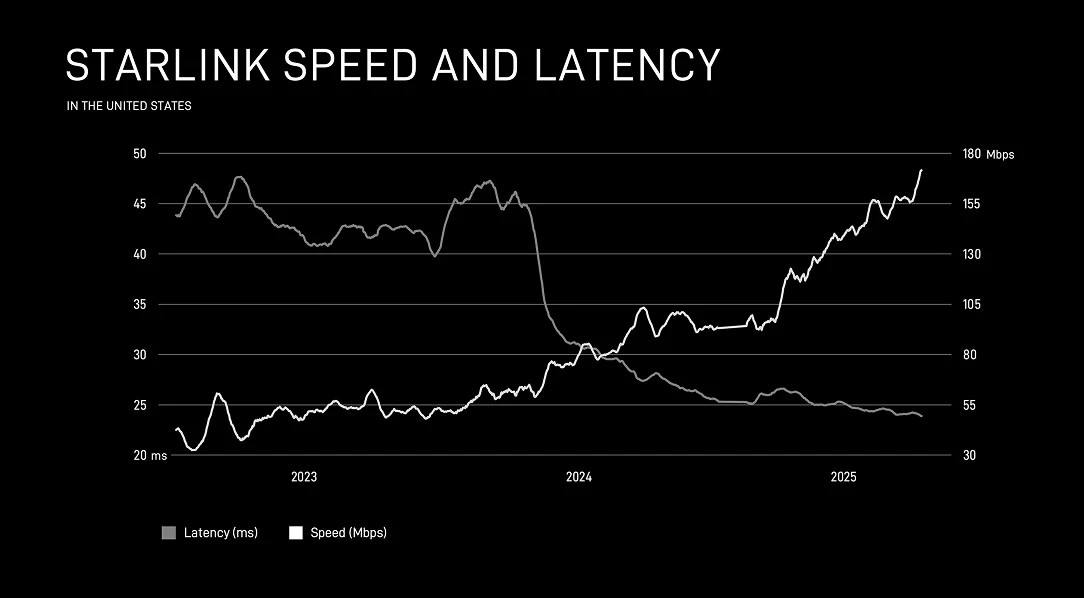
Starlink measures its own network automatically: According to the company, anonymized measurements are recorded by millions of routers every 15 seconds; in the USA alone, hundreds of thousands of speed tests and hundreds of billions of latency measurements are combined every day. For the peak time – defined there as 18 to 21 local time – the company states the following values:
- Median download speed in the US at the peak hour: nearly 200 Mbit/s, as of July 2025
- Median peak-time latency in the United States: 25.7 milliseconds, as of June 2025
- Less than one percent of U.S. measurements exceed 55 milliseconds
- Explained goal of the company: stable median latency of 20 milliseconds with minimal packet loss
The editorial classification: These are reliable figures with a very large sample, but they apply to the United States. A conclusion about Germany is not readily permissible, because user density, gateway coverage and cell utilization differ. Starlink separately quantifies the improvement outside the US in his latency report as a reduction in median latency by up to 25 percent and outliers by up to 35 percent – but does not mention country values.
Therefore, the performance at your address can only be checked in two places: in the Starlink availability card, which offers a speed view for the respective region, and after installation via the speed test in the Starlink app. This is exactly why the 30-day return period is the really decisive instrument – it turns the order into a paid test with a full refund.
The most honest measurement is at your own address. Ordered via a referral link, you will also receive a free service month – and keep the 30-day return period with a full refund.
Why Trees Disrupt Less Than Earlier
The most common disappointment with satellite Internet arises at the assembly site. The terminal needs unobstructed view of the sky, and every branch, chimney and rooftop can briefly interrupt a signal. In the past, this led to noticeable dropouts in the middle of the video call.
Starlink describes two mechanisms for this. First, a terminal typically has not one, but several satellites in the field of view at the same time, so there are several paths to choose from. Secondly, the system switches between them automatically and in real time – in the case of permanently installed systems, predictively on the basis of a obstacle card generated during installation, reactively in the case of mobile terminals and unforeseen blockages. According to the manufacturer, the reactive change takes place in less than one tenth of a second.

For practice, this does not mean that the assembly location would not matter – on the contrary. It is said that a slightly concealed view today usually leads to occasional short break-ins instead of an unusable connection. The Starlink app contains two useful tools for this: a preview of the installation location before installation and a live obstacle map afterwards, which shows in which cardinal direction blockages occur. If you offset the mast by two meters or cut a branch, you will see the result directly in the app.
Check before assembly
The obstacle checking feature in the Starlink app scans the sky with the mobile phone camera and shows how clear the view is at the planned location.
Readjust after assembly
The obstacle map logs real blockages over time. This makes it possible to assess whether a change of location really brings something.
Higher is almost always better
Roof, gable or a mast beat the location in the garden as soon as trees, neighboring buildings or slopes stand in the way.
Cover nothing
Starlink specifically advises against additional protective hoods: they affect performance and the ability to melt snow.

What Hardware You Really Need
Starlink sells and leases several terminal generations in Germany in parallel. For private households, especially the standard kit and the newer Starlink V5 are relevant, for mobile use also the Starlink Mini. The main differences are size, weight, power consumption and whether the device can be used in motion.
| Specification | Starlink V4 (standard) | Starlink V5 | Starlink Mini |
|---|---|---|---|
| Top download according to the manufacturer | More than 400 Mbit/s | over 375 Mbit/s | over 200 Mbit/s |
| Dimensions | 594 × 383 × 39,7 mm | 384 × 306 × 34 mm | 298,5 × 259 mm |
| Weight | 2,9 kg | 1,1 kg | 1,10 kg, with stand 1,16 kg |
| Energy consumption on average | 75 to 100 W | 35 to 50 W | 25 to 40 W |
| Field of view | 100° | Manufacturer not available | 110° |
| Use in Motion | Permitted for Standard 4 and 4 X | not provided for | Permitted |
| Routers | Router 3, i.e. Router 2 | Router 2, Router 3 and Mini Router | WLAN integrated, no router in the kit |
| Ingress protection | IP54 | Manufacturer not available | IP67, Type 4 |
The most important difference in everyday life is not the top speed, but the power consumption. The V5 almost halves it compared to the V4, although it serves practically the same performance class – for a device that runs around the clock, this is the more relevant value. The Mini is even more economical, but covers about 112 square meters of Wi-Fi space significantly less than the standard 4 X with about 297 square meters.
What is included in the kit
According to Starlink, a Starlink kit includes the antenna, power supply, cable, bracket and Wi-Fi router. Important exception: The kits Starlink Mini, Starlink Performance, Starlink Performance (GEN2) and Enterprise are supplied without a Wi-Fi router. A WLAN module is integrated into the mini; if you want to supply larger space, buy a router separately in the Starlink shop.
Cable
The standard kit includes 15.2 meters Starlink cables, the Mini 15 meters. Longer cables are available kit-specific in the shop – not every cable fits every terminal.
Bench
Standard 4 X and Mini have a fold-out stand for quick installation. Additional accessories are required for fixed roof or mast mounting.
Router 3
WLAN 6, tri-band with its own backhaul channel, according to the manufacturer about 297 square meters of coverage. It is included in the tariff private household Max in most markets.
Mesh
Router 3, Router 2 and Mini-Router can be connected to form a mesh. Starlink recommends a maximum of three mesh routers and a cable connection for large houses.
Step-by-step setup
The initial setup is one of the points where Starlink is actually superior to conventional connections: no technician comes, no line is laid, and an appointment is not necessary. According to the manufacturer, the process is completed in a few minutes, provided the assembly location is correct.
1Find location
Using the obstacle checking feature in the Starlink app, scan the sky and choose the location with the clearest view. To the north, the field of view in Central Europe is particularly important.
2Install terminal
Unfold stand or mount mount, lead cables to the power supply and seal the lead-through into the house cleanly. Do not buckle the cable and do not shorten it.
3Connect current
Plug in the power supply. Motorized models align themselves – here you must not help manually. Standard and Mini are positioned via the app’s alignment tool.
4Connect and update
Connect to the Starlink WiFi, set network name and password. After the initial setup, the terminal usually loads the current software overnight.
5Measure and document
Run speed test in the app at different times of day, especially between 18 and 21 Record results – they are the basis for the decision within 30 days.
6Optimize WiFi
Set up the router centrally, not in the basement or behind metal. For large houses, supplement mesh or connect a second access point via Ethernet cable.
See first invoice
Starlink issues the first invoice either at activation or seven days after delivery – whichever comes first. If you leave the kit unopened, you do not arbitrarily postpone the start of the billing.
Electricity consumption and costs per year
One point that is missing in many comparisons: Starlink consumes significantly more electricity than a DSL or fiber-optic router. A common home router is in the single-digit to low-double-digit watt range; the Starlink terminal additionally heats itself in the cold and operates an active antenna. Starlink gives the following average values for the various models, in each case based on the AC input power of the overall system consisting of terminal, router, power supply and cable.
| Model | Consumption on average | Sleep Mode | Annual consumption in continuous operation | Electricity costs per year |
|---|---|---|---|---|
| Starlink Mini | 20 to 40 W | 15 W | 175 to 350 kWh | Approximately 61 to 123 € |
| Starlink V5 | 35 to 50 W | Information not available | 307 to 438 kWh | around 107 to 153 € |
| Standard Actuated | 50 to 75 W | 20 W | 438 to 657 kWh | around 153 to 230 € |
| Standard 4 and 4 X | 75 to 100 W | 20 W | 657 to 876 kWh | Approximately 230 to 307 € |
| Performance GEN1 and GEN2 | 110 to 150 W | 45 W | 964 to 1,314 kWh | around 337 to 460 € |
The calculation method is based on 8,760 operating hours per year, i.e. real continuous operation, and an assumed electricity rate of 0.35 euros per kilowatt hour. The formula is power in watts divided by 1,000, multiplied by 8,760 and with your electricity rate. If you have a different tariff, just calculate: At 0.30 euros, the values fall by a good seventh, at 0.40 euros, they rise accordingly.
The bandwidth is significant, and it depends on temperature, location and usage, according to the manufacturer. In winter, the consumption is at the upper end, because the snow melting function draws power. Practically relevant is also the rest plan in the Starlink app: If you send the terminal to sleep at night, the consumption in these hours to the mentioned 15 to 45 watts is lowered. With eight hours of rest a day, a standard 4 X saves about 40 to 70 euros a year.
Classification of the editorial staff
Electricity costs are not a sideshow. For the private household tariff 100 Mbit/s for 35 euros monthly, a standard 4 X with 230 to 307 euros electricity costs per year corresponds to a surcharge of around 19 to 26 euros per month – i.e. more than half of the basic fee on top. Who can choose between two terminal generations should include this item in the decision.
Rain, snow, storm and thunderstorm
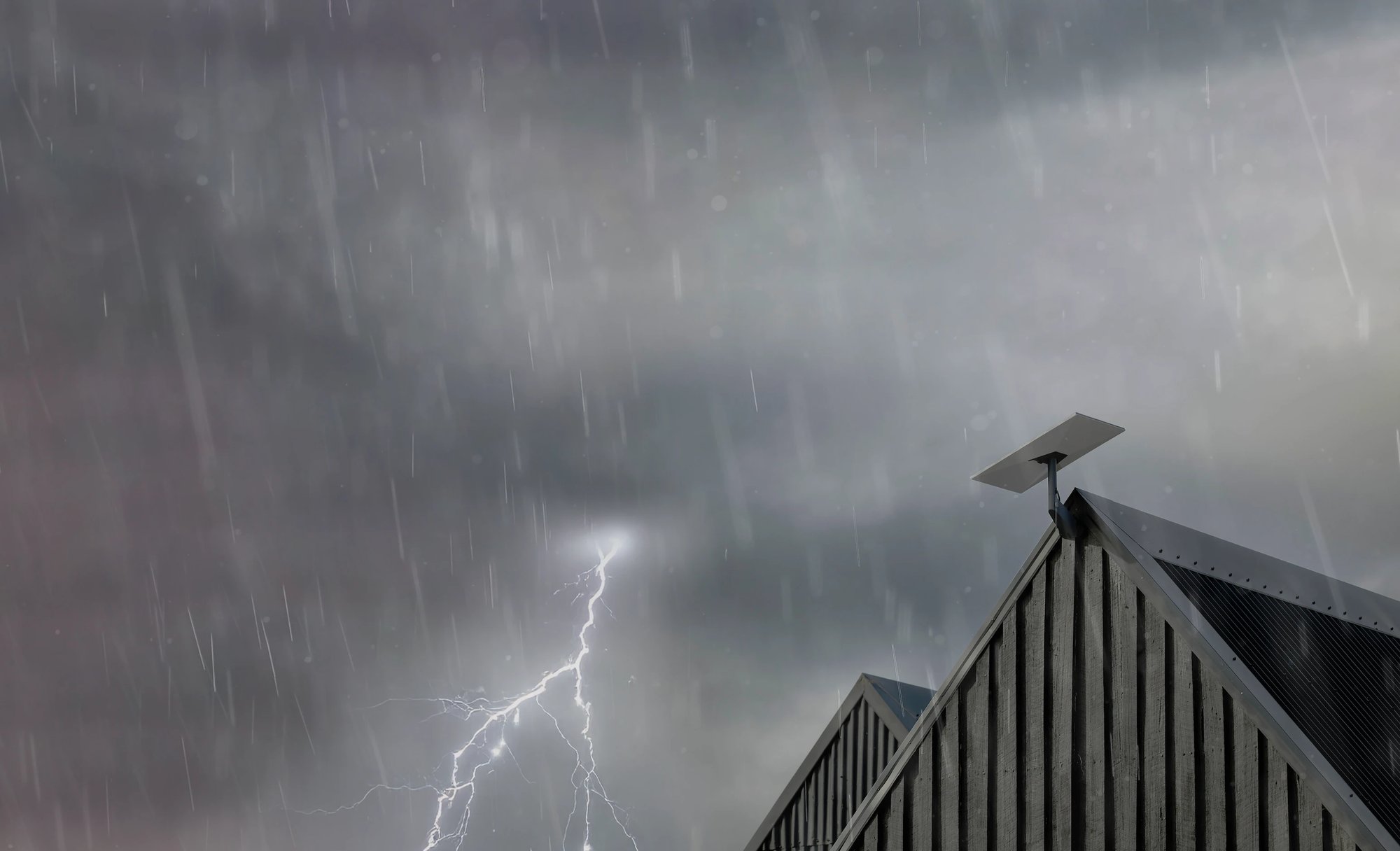
The obvious concern with satellite Internet is: What happens in bad weather? Starlink provides specific information on this. The terminals are designed for outdoor operation from minus 30 to plus 50 degrees Celsius, whereas the router and power supply are only designed for indoor operation from zero to plus 30 degrees Celsius. For the latest kit generations, the company also calls a wind resistance of over 160 kilometers per hour.
rain
The surface is hydrophobic. Starlink admits, however, that heavy rain or wind can affect the connection – at slower speeds and, in rare cases, failure.
Snow
The terminal can actively melt snow; in the Mini, the manufacturer mentions up to 25 millimeters per hour. Nevertheless, the assembly location should be selected so that no snow piles up in front of it.
lightning stroke
Starlink meets the grounding requirements of the US National Electrical Code and also recommends an external lightning protection system in storm-prone regions.
Heat
In extreme heat or cold, performance may decline. The power supply belongs in a ventilated interior, not in a closed cabinet.
Two points matter for the German installation examples. Roof work and lightning protection must comply with the applicable German rules and standards; Starlink’s instructions do not replace professional electrical installation or an assessment by a qualified specialist. Starlink also recommends that, in the event of a thunderstorm or a prolonged absence, you disconnect the device from the mains and unplug the Starlink cable to avoid surge damage.
Streaming, video call and gaming in everyday life
For everyday assessment, the top speed is less decisive than the question of which applications work reliably. This is a nuanced picture.
Streaming
Depending on the service, 4K streaming requires roughly 15 to 25 Mbit/s per stream. Even the tariff with 100 Mbit/s thus serves several streams in parallel as long as the cell is not overloaded.
Home office and video conferencing
Video conferencing is latency-critical rather than bandwidth-critical. The latency values mentioned by Starlink are in the area of good mobile connections – more important is the stability at the specific assembly location.
Online games
Sufficient for most games, for competitive gaming with close reaction times continues to be worse than fiber optics. Short satellite changes can be noticeable as isolated outliers.
Upload
With 15 to 40 Mbit/s depending on the tariff, the upload is solid for cloud backups and video calls, but significantly slower than with symmetrical fiber. Large video files need patience.
The underestimated bottleneck: CGNAT session limit
Household and Roam plans work with Carrier Grade NAT and are limited to 1,200 simultaneous sessions, according to Starlink. If the limit is reached, the oldest connections are automatically disconnected. Symptoms include abortive VoIP conversations, one-way audio, freezing video conferencing, and problems with VPNs. In households with many devices and permanently running services, this can be noticeable. Starlink refers to the priority rates without CGNAT session restriction for this case.
Where Starlink reaches its limits
An honest test must also mention the points that speak against Starlink. They are technical in nature and cannot be optimized away.
- No guaranteed bandwidth. Starlink explicitly mentions maximum speeds without warranty. If the cell is overloaded, the rate for all users of this cell decreases.
- Capacity limits per region. If a cell is utilized, Starlink can temporarily not offer new private household tariffs there or charge a one-time demand premium.
- No port forwarding. According to the manufacturer, the Starlink WiFi router does not support port forwarding or its own firewall rules, neither for IPv4 nor for IPv6.
- No public IPv4 by default. Incoming data traffic is not possible with the CGNAT standard guideline. Public IPv4 addresses provide Starlink only on local and global priority rates.
- locked ports. TCP port 25 for SMTP and TCP port 445 for SMB are blocked. If you want to operate your own mail server, you cannot do this via Starlink without a detour.
- Electricity consumption. Significantly higher than with any classic connection, as the annual accounts further above shows.
- Free view is absolutely necessary. In dense buildings, in the forest plot or in a narrow valley location, there can simply not be a usable assembly location.

For whom Starlink is worthwhile
The crucial question is not whether Starlink is good, but whether it is the best option available at your address. This classification is our editorial evaluation based on the above-mentioned data.
| Starting position | Assessment | Appropriate tariff |
|---|---|---|
| No DSL over 16 Mbit/s, no fiber optic in sight | A clear recommendation. Here Starlink is usually the fastest real available option. | Private household 100 or 200 Mbit/s |
| Large household, several frequent users | Recommended if the Max fare is available. The higher priority works exactly in the evening peak. | Residential Max |
| Fibre optic connection already existing | It does not make sense as a main connection. As a redundant second line for companies, on the other hand, quite. | Business or Priority |
| Motorhome, boat, changing locations | Recommended, but mandatory with travel fare. Private household rates do not allow use in motion. | Travel 100 GB or Travel Unlimited |
| Own server, incoming connections, port releases | Only with restrictions. The standard configuration does not allow incoming traffic. | Local or Global Priority with Public IPv4 |
| Densely treeped land | Check beforehand. Without a clear view of the sky, even the best tariff does not help. | First obstacle test, then decide |
Whether your area has capacity, what tariff is offered there and what the hardware costs at your address, shows only the address query. Our referral link adds a free service month for new accounts.
Frequent questions about Starlink everyday life
How fast is Starlink really in Germany?
In our hands-on test with the Starlink Mini X, the Starlink app measured 97 Mbit/s in download, 22 Mbit/s in upload and 21 millisecond latency; a browser speed test against a server in Berlin came to 96.3 and 10.9 Mbit/s at 28 milliseconds. This is a snapshot of a location. Starlink itself does not publish any separate median values for Germany. The tariffs limit the download to 100 Mbit/s, 200 Mbit/s or more than 400 Mbit/s for private household Max; these are maximum values without warranty. The actual rate can be robustly checked only via the speed view of the availability card and after installation via the test in the Starlink app.
Is the latency sufficient for online games?
For most games, yes. Starlink cites a median latency of 25.7 milliseconds in rush hour for the U.S. and less than one percent of the measurements over 55 milliseconds. For competitive play with very narrow reaction windows, glass fiber remains an advantage because it is more constant.
How much electricity does Starlink use per year?
Depending on the model, between 175 and 1,314 kilowatt hours in continuous operation. A standard 4 X with 75 to 100 watts is on average about 657 to 876 kilowatt hours per year, which corresponds to 0.35 euros per kilowatt hour about 230 to 307 euros. The rest plan in the app significantly lowers this value.
Do I need a technician for the installation?
No. The facility is designed as a self-installation: select location, set up terminal, connect electricity, connect via app. A specialist company is only useful if a roof assembly, a mast assembly or a lightning protection connection is pending.
How long does Starlink take to set up?
In our test, about 17 minutes elapsed from calling the Starlink app in the App Store to the first connection statistics. This included unpacking, setting up, the sky scan with the mobile phone camera and the connection to the WLAN of the Router Mini. The obstacle map then calibrates even further in the background; the first statistical minutes are marked as the start phase, according to the app.
Why does the Starlink app report an alignment deviation after it is set up?
Because the terminal is not in the direction the app charges for the location. In our test, the app showed a deviation of 41 degrees immediately after the connection and displayed an alignment aid with target outline and direction of rotation. The connection still worked; but for a stable performance you should turn the terminal after this display.
Does Starlink work in rain and snow?
In principle, yes. The terminal is hydrophobic, can melt snow and operates according to the manufacturer from minus 30 to plus 50 degrees Celsius. However, heavy rain and strong wind can slow down the connection and in rare cases interrupt it. Additional covers are expressly not recommended.
Can I continue to use my previous Fritzbox?
A third-party router can be connected, but Starlink offers a bypass mode. The Starlink app loses some of its functions. For pure WLAN management, the Starlink mesh is usually the simpler solution.
What happens if I want to quit after two months?
Private household rates run monthly. The service remains active until the end of the paid period. A full hardware refund is only available within the 30-day return period, after which there will be no refund, according to Starlink. For rented kits, their own return periods apply.
Can I use Starlink in the motorhome?
Not with a private budget plan. The use in motion and in changing places requires a travel or priority tariff. Which hardware is released for this and which countries restrict the use in movement, is treated by our Guide for motorhome, travel and events.
Conclusion: Strong where nothing else lies
Starlink has evolved from a stopgap to a connection that carries streaming, home office and gaming in everyday life. Our own test with the Starlink Mini X confirms this in the order of magnitude: about 97 Mbit/s in download and 21 milliseconds latency after about 17 minutes of setup, without any technicians. The latency values published by Starlink are in a range that was unthinkable for satellite Internet only a few years ago, and the tariff squadron with 35, 55 and 75 euros makes the entry calculable. But the honest reservation remains: no guaranteed bandwidth, a noticeable power consumption, CGNAT restrictions and the mandatory requirement of a clear view of the sky.
Our classification: Where fiber optic is located or is built in the foreseeable future, it remains the better choice. Wherever the alternative is a tough copper connection or an overloaded cellular network, Starlink is now the most viable solution – and the 30-day return period makes trying it out low-risk. How the costs develop over twelve and 24 months, we calculate in the cost guide at prices, fees and free month; the direct technology comparison can be found in the article Starlink against fiber optic, DSL and LTE.
Read more: all Starlink guides on Drohnen.de
From the first question “Is it worth it?” to the finished assembly: Here you will find all Starlink guides from Drohnen.de sorted by topic.
Basics and experience
Starlink vs. Fiber, DSL and 5G
Speed, latency, cost and safety in direct comparison.
All providers, GEO or LEO, cost calculator and technology finder.
Costs and tariffs
Starlink Prices and Free Month
All tariffs, one-time fees, rental and termination in detail.
Starlink in the motorhome and when travelling
Travel fares, use in movement and electricity in the camper.
Hardware and assembly
Starlink hardware in comparison
Mini, standard and performance with moderation and consumption.
Principal direction, obstacles and the turning aid of the app.
Roof, wall, mast or balcony – with cable planner.
Starlink brackets in comparison
Original or Amazon: Brackets for Mini and Standard.
Special locations of use
Right, electricity without connection, tariffs and winter break for the arbor.
Internet for long-distance drivers: tariffs, installation and electricity in the cab.
Availability and countries
Starlink availability worldwide
World map with country check and direct link to the Starlink map.
Experience, costs in euros, rental law and cube comparison.
Prices in francs, basic services, Alp and mountain hut.
Recommendation link, transparency and disclaimer
What a Starlink Recommendation Link Does
Starlink operates a referral program at most locations. Anyone who orders from starlink.com via someone else’s referral link will receive a free service month, according to Starlink. The process is deliberately two-stage, which can cause confusion at the conclusion of the purchase – so here is the complete way, as described by the Starlink Help Center.
- Registration: Order through the referral link on starlink.com, not through a merchant or retailer.
- First month: The first month is calculated normally. Activation is part of confirmation that the recommendation is valid.
- Second month: The service credit will be credited to the customer account and deducted from the next invoice. Starlink sends out a confirmation email; in the invoice preview in the customer portal, the second month appears as free of charge.
Requirements according to Starlink: It must be a new Starlink customer account – existing and returning customers are excluded. The kit must be activated and the service must be kept for at least two months. The tariffs private household, private household Lite, private household 100 Mbit/s, private household 200 Mbit/s, private household Max as well as travel 100 GB, travel 300 GB and travel Unlimited are justified. Kits from resellers, retailers or from an account transfer are not eligible. All details can be found in the Help Center article on the recommendation link.
Our disclosure: The links marked with „recommendation link“ in this post contain our recommendation code. If you order it, you will receive the described free month, and our account will also be credited with a credit. This does not incur any additional costs for you, and the price is identical to an order without a code. Our evaluation in the editorial part is independent of this – the criticisms in the section on the boundaries are deliberately just as much in the text.
Source, method and liability statement
Technical values, prices and tariff information in this article come from the official Starlink sources for Germany: the pages on private household and travel tariffs, the service tariff overview, the German help center, the network update as well as the product data sheets for the standard kit and the Starlink Mini. The manufacturer’s specifications were retrieved on 16.09.2026 and re-checked on 23.09.2026. Manufacturer specifications are marked as such in the text; ratings, comparisons and extrapolations are editorial classifications. The values in the section “Our hands-on test” are the editorial team’s own measurements with a Starlink Mini X at a location in Germany in September 2026. They are a snapshot and not a representative statement of performance in other places, at other times of day, or with other hardware. All photos and screenshots in the practical part come from Drohnen.de. Prices, availability and promotions are daily indications and may change at any time. This article was researched and reviewed by AI. It provides general information and does not replace individual advice, a professional electrical or lightning protection installation or an examination of the specific contractual conditions. Only the respective applicable service conditions of Starlink are decisive.
Transparency and editorial note: The German original refers to the transparency requirements under Article 50 of the EU AI Act applying from 2 August 2026. Articles are reviewed, put into editorial context and approved before publication. Final assessment and editorial responsibility remain with the editorial team.
For the visual design, we use not only our own and provided shots but also symbol images and illustrations. These can be created or adapted as part of the creation or editing using digital tools. Insofar as there are statutory transparency or labelling obligations for individual contents, these are indicated accordingly.
Individual product boxes and product links in this post are partner links. If you buy through it, our editorial team receives a small commission – the price remains unchanged for you. This has no influence on test results, grades and recommendations.
Sources
Show all sources used
Manufacturer sources – Starlink / SpaceX:
- Starlink Private Household – Tariffs and Prices for Germany
- Starlink Service Tariffs – Overview Private Household and Travel
- Starlink network update – speed, latency and capacity
- Starlink Reliability – Weather resistance and resilience
- Starlink Standard Product Data Sheet (PDF)
- Starlink Mini product data sheet, German version (PDF)
Starlink-Help-Center, German version:
- How much power does my Starlink need?
- Differences between Starlink V4 and Starlink V5
- Differences between Starlink Mini and Standard 4 X
- What is included in my Starlink kit?
- How can I set up Starlink?
- What are the private household rates?
- Starlink in snow, heavy rain, storm and extreme temperatures
- CGNAT session limits and their effects
- Which IP addresses does Starlink assign?
- What is Starlink Mesh?
- Return of the Starlink kit and return conditions
- What is an activation fee?
Further Manufacturer Documents:
- Improving Starlink’s Latency – Starlink technical report on latency development (PDF)
Product images: Starlink / SpaceX. Our hands-on photographs: drohnen.de. The final header image is an AI-generated editorial illustration.